
Invite users
This article explains how to invite users to a Standard account in Better Reports.
Only users who are explicitly invited to an organisation can access reports in a Standard account.
To learn more about user roles and permissions, see User permissions.
⚠️ Before inviting users, make sure that:
- You are using a Standard account
- You are signed in as an Admin user
Inviting users is not available for Integrated App accounts.
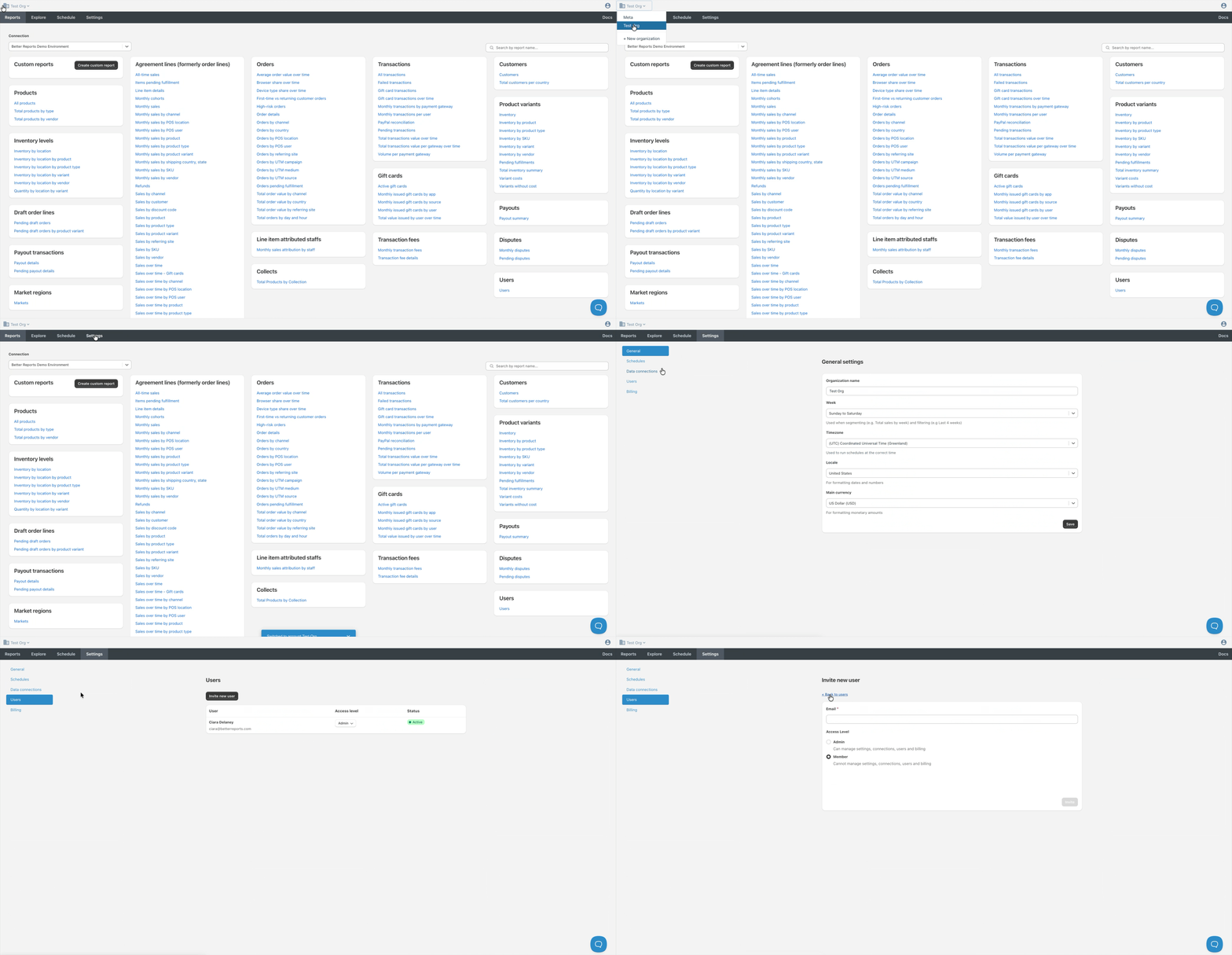
To invite a user to your organisation:
- Select your desired organisation using the Organisation selector
- Navigate to the Settings tab
- Select Users
- Select Invite new user
- Enter the user’s Email
- Select an access level
- Complete the verification step
- Select Invite
The user receives an email invitation to join your organisation.
Need more support?
If you get stuck or have additional questions, you can contact our team directly through the Help widget in the bottom-right corner — we typically respond within one business day.