
Delete a custom field
You can delete custom fields that are no longer needed to keep your reports and field list organised. This article explains how to delete a custom dimension or a custom measure.
⚠️ You cannot delete a custom field if it is applied in any report. Attempting to do so will result in an error.
If a custom field is referenced in the formula of another custom field but is not directly applied in any report, it can be deleted. Deleting it will cause reports using the other custom field to fail.
Deleted custom fields cannot be recovered.
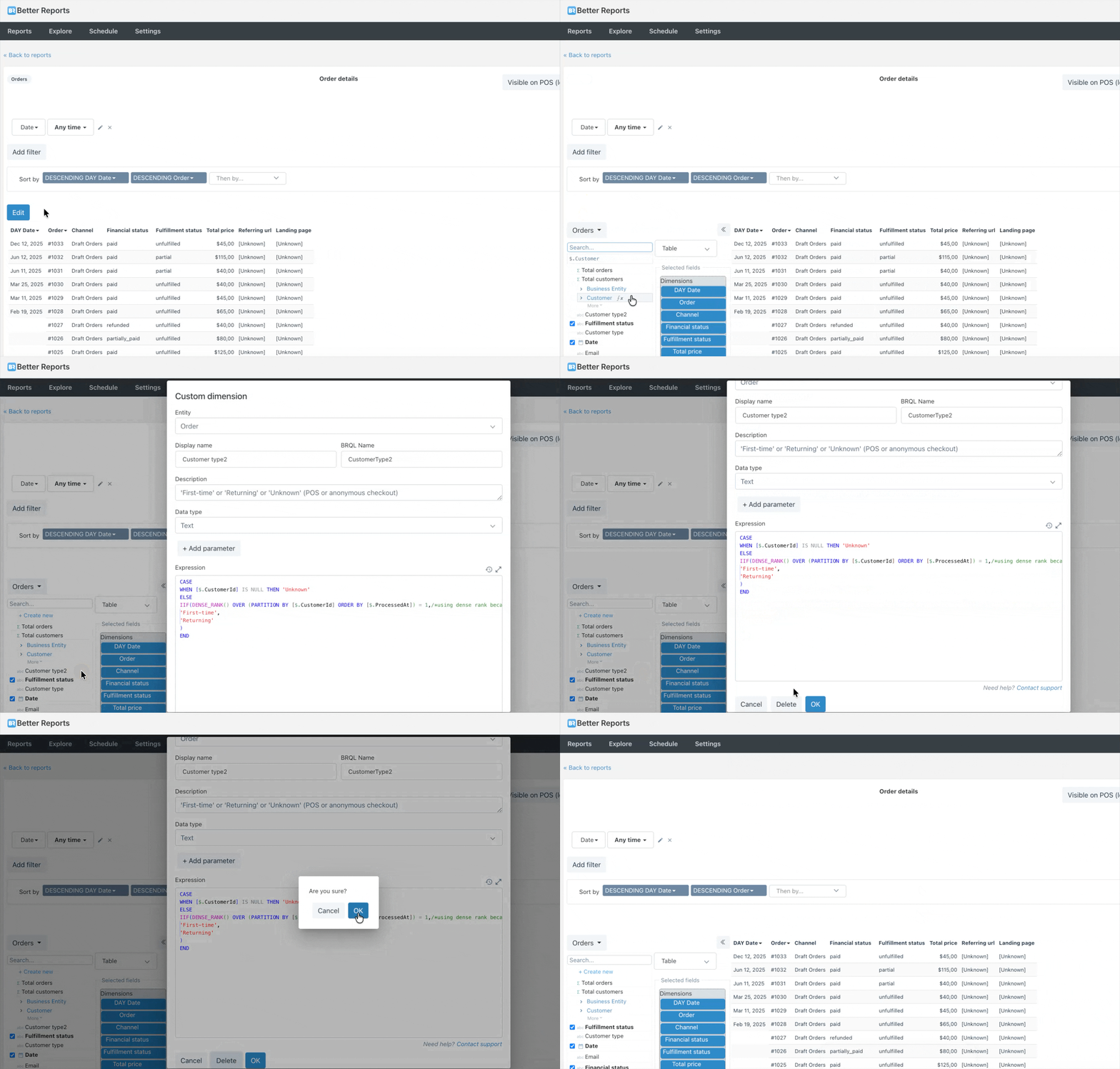
- Open a report where the custom field is available in the field list
- Select Edit
- Select the pencil icon (edit) beside the custom field name
- Select Delete
- Select OK
Need more support?
If you get stuck or have additional questions, you can contact our team directly through the Help widget in the bottom-right corner — we typically respond within one business day.