
Rearrange fields in a report
Fields appear in your report from left to right based on the order they are listed in the Selected fields pane, from top to bottom. In matrix reports, this controls the order of columns from left to right and rows from top to bottom.
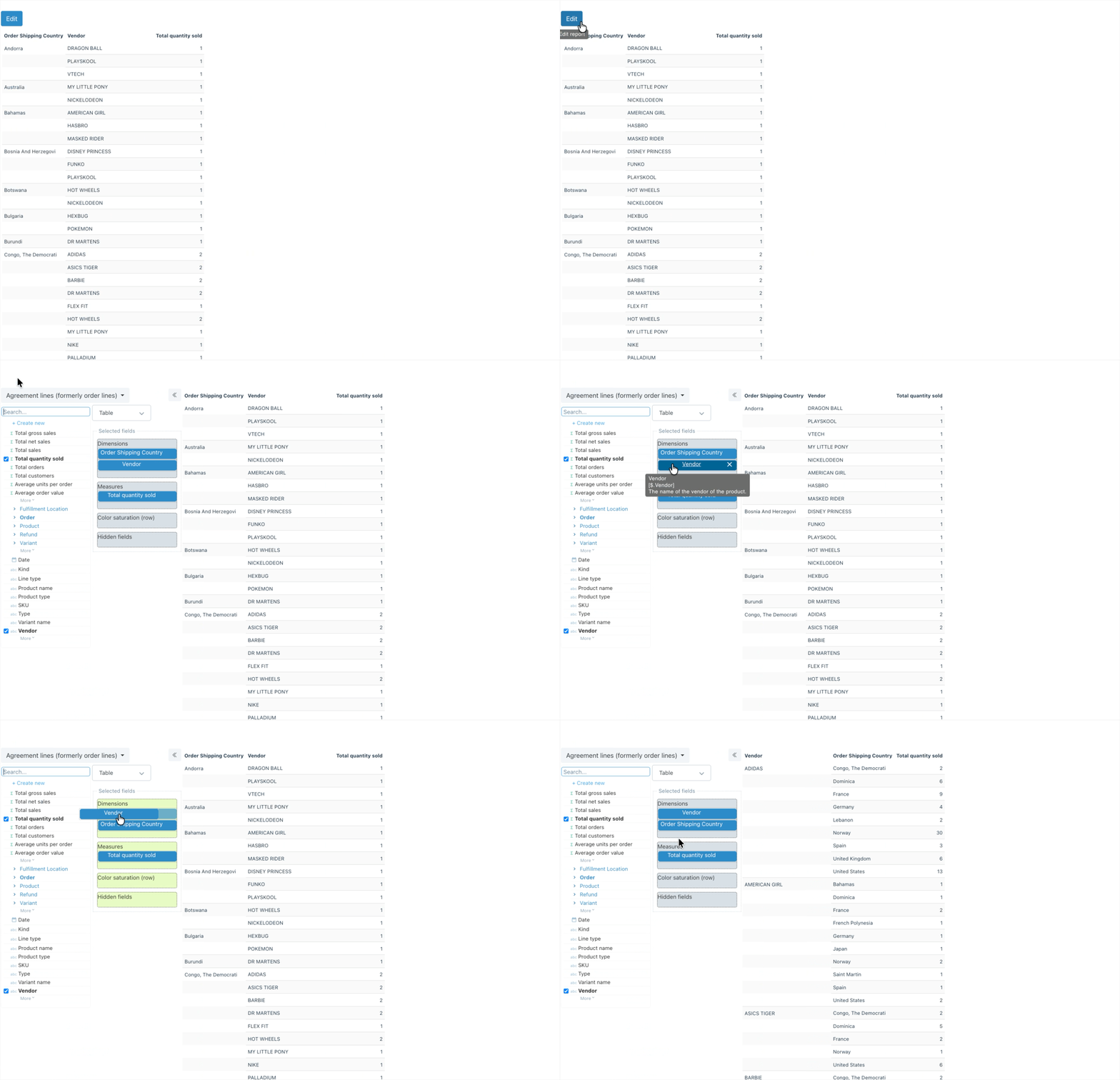
- Select Edit
- In the Selected fields pane, drag a field up or down to change its position in the report
Need more support?
If you get stuck or have additional questions, you can contact our team directly through the Help widget in the bottom-right corner — we typically respond within one business day.